

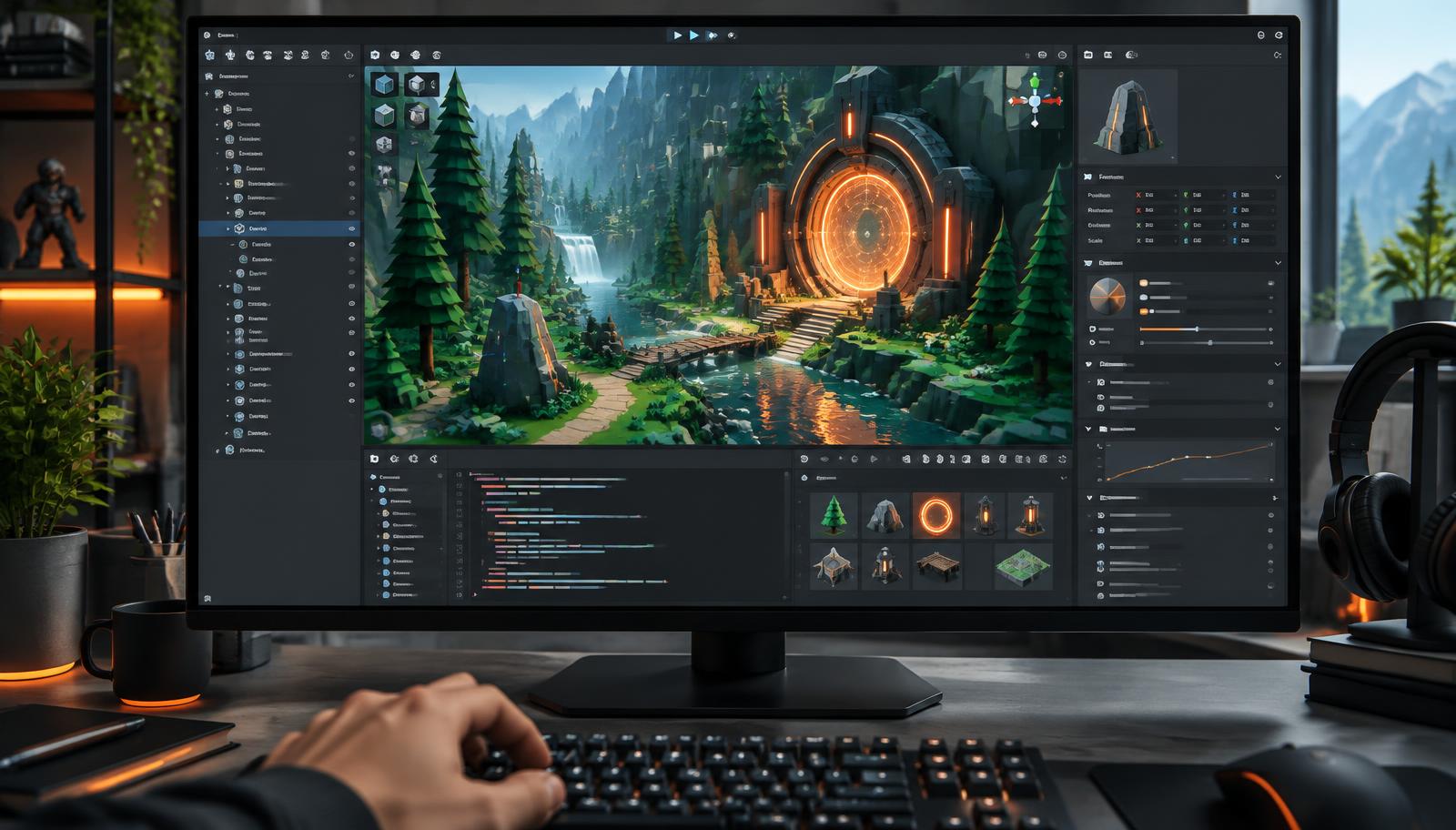
Why Unity Developers Are Betting on AI
Unity has always been the engine of choice for indies, mobile studios, and increasingly for AAA teams building live-service games. But in 2026, the biggest shift inside Unity workflows is not a new render pipeline or a new package. It is AI. Studios that lean into AI tools are shipping prototypes in days instead of months and cutting production art costs in half.
The tools have finally crossed the "actually useful" line. Unity Muse ships inside the editor. GitHub Copilot understands MonoBehaviours. Meshy generates 3D models with clean topology. Convai drops talking NPCs into scenes with a few lines of C#. None of these tools replace developers. They remove the busywork so developers can focus on the parts of a game only humans can build: feel, pacing, and design.
This guide compares ten AI tools Unity developers should know in 2026, with practical strengths, limitations, pricing context, and workflow advice. The right shortlist depends on whether your bottleneck is code, art, animation, voice, or interactive characters.
What Counts as a Unity AI Tool?
"Unity AI tool" is a loose label. In practice, it covers four categories that matter to developers:
- In-editor assistants that generate code, sprites, animations, or behavior trees without leaving Unity.
- Asset generators that produce 2D art, 3D models, textures, or audio you import into a Unity project.
- Coding copilots that autocomplete C# in your IDE and understand Unity's API surface.
- Runtime AI SDKs that add intelligence to shipped games: conversational NPCs, adaptive difficulty, procedural quests.
The tools below cover all four categories. Most studios pick one from each based on their genre, budget, and team size.
Quick Comparison Table
If you only have a minute, this is the short version. Every price below is the public 2026 entry price at the time of writing.
| Tool | Best for | Entry price | Unity workflow |
|---|---|---|---|
| Unity Muse | Indie prototyping | Free trial · $30/month per seat | In editor |
| Ludo AI | Game jam ideation | Free tier · Paid from $15/month | Import or IDE |
| Scenario | Mobile games | Free trial · Paid from $39/month | Import or IDE |
| Meshy | 3D prototyping | Free tier (200 credits/month) · Paid from $20/month | Import or IDE |
| GitHub Copilot | Gameplay scripting | Free for students · Paid from $10/month | Import or IDE |
| Convai | RPG NPCs | Free tier · Paid from $15/month | SDK or plugin |
| Inworld AI | Narrative games | Free access available · Paid usage varies | SDK or plugin |
| Blockade Labs Skybox AI | Skyboxes | Free trial available · Paid plans and API credits vary | SDK or plugin |
| Sloyd | Procedural props | Free access available · Developer licensing varies | SDK or plugin |
| DeepMotion | Character animation | Free access available · Paid animation credits vary | Import or IDE |
Top 10 AI Tools for Unity in 2026
We evaluated each tool for its Unity relevance, workflow fit, output quality, limitations, and public pricing information. Plans and usage limits change, so confirm current terms before committing a team.
Unity Muse
Free trial · $30/month per seatUnity Muse is Unity's official AI suite built directly into the editor. It includes Chat, Sprite, Texture, Animate, and Behavior modules that speed up common Unity workflows without leaving the IDE.
Key Features
- Chat assistant trained on Unity docs and C# APIs
- Sprite and texture generation from text prompts
- Animation retargeting and motion synthesis
- Behavior trees generated from natural language
- Runs inside the Unity Editor
Pros
- Deep Unity Editor integration
- Grounded in official Unity docs
- Multiple generators in one subscription
Cons
- Subscription per seat can add up
- Some outputs still need cleanup
- Requires Unity 2022 LTS or newer
Our take: the only tool here that lives inside the editor, so it wins on friction. Worth the $30 seat if you open Unity most days; skip it if you mainly need code help, where Copilot is cheaper and stronger.
Browse Developer ToolsLudo AI
Free tier · Paid from $15/monthLudo AI helps Unity developers with the earliest stage of a project: coming up with ideas. It generates game concepts, mechanics, and art references you can bring straight into a Unity scene.
Key Features
- Game concept and mechanic generation
- Art style references and mood boards
- Market and trend analysis for genres
- Character and world descriptions
- Export packs for design docs
Pros
- Great for solo devs stuck at the idea stage
- Trend data grounded in real markets
- Simple, focused workflow
Cons
- Not integrated inside the Unity Editor
- Focus is design, not code
- Free tier is limited
Our take: a design tool, not a production tool. Brilliant for the first 48 hours of a project or a game jam, but it will not touch a single line of C# or a single asset in your Assets folder.
Browse Developer ToolsScenario
Free trial · Paid from $39/monthScenario is a custom AI art generator that trains on your own style, then produces game-ready assets you can drop into Unity projects. Ideal for consistent 2D art at scale.
Key Features
- Train custom models on your art style
- Batch generate sprites, icons, and textures
- Style-consistent outputs across a project
- Direct export to PNG and PSD
- Team collaboration on models
Pros
- Consistent style across hundreds of assets
- Faster than commissioning art
- Full commercial rights on paid plans
Cons
- Learning curve for model training
- Higher price for full access
- Not built specifically for Unity
Our take: the best value once your art direction is locked. Training one custom model and batch-generating a full icon set is where the $39 plan pays for itself; before that, the free trial is enough.
Browse Developer ToolsMeshy
Free tier (200 credits/month) · Paid from $20/monthMeshy turns text prompts or reference images into game-ready 3D models with clean topology and PBR textures. It exports FBX and GLB files that drop directly into a Unity project.
Key Features
- Text-to-3D and image-to-3D generation
- PBR texture maps out of the box
- Auto-rigging for characters
- FBX, GLB, USDZ export
- Retopology for game-ready meshes
Pros
- Fast prototyping of 3D assets
- Game-ready topology
- Unity-friendly export formats
Cons
- Hero assets still need manual cleanup
- Credit system on free tier
- Rigging works best on humanoids
Our take: the fastest route from idea to a mesh you can walk around in Unity. Use it for props, environment dressing, and blockouts. Hero characters still need a modeller for retopology and clean UVs.
Browse Developer ToolsGitHub Copilot
Free for students · Paid from $10/monthGitHub Copilot is the most widely used AI coding assistant for Unity C# development. It works inside Visual Studio, Rider, and VS Code, autocompleting whole MonoBehaviours and shader code.
Key Features
- C# autocompletion trained on public code
- Inline chat for refactors and explanations
- Test generation for PlayMode and EditMode
- Works in Visual Studio, Rider, VS Code
- Copilot Chat for architecture discussions
Pros
- Massive productivity gain for C# scripting
- Understands Unity APIs well
- Works in every popular Unity IDE
Cons
- Suggestions occasionally hallucinate APIs
- Requires GitHub account
- Not Unity-specific
Our take: the highest return per dollar on this list for anyone writing Unity C#. It is not Unity-aware the way Muse is, so verify anything touching serialization, coroutines, or the new Input System.
Browse Developer ToolsConvai
Free tier · Paid from $15/monthConvai adds conversational AI NPCs to Unity games. Its official Unity SDK lets characters listen, think, and respond in real time using large language models plus voice.
Key Features
- Official Convai Unity SDK
- Real-time speech-to-text and TTS
- Character memory and knowledge base
- Emotion and action triggers
- Multiple LLM backends supported
Pros
- Purpose-built for Unity NPCs
- Handles voice pipeline end to end
- Ships with example scenes
Cons
- Cloud calls add latency
- Voice quality depends on provider
- Costs scale with usage
Our take: the only pick if you want NPCs that actually talk in a shipped build. Budget for per-minute costs early, cache aggressively in development, and design around 300 to 800ms of round-trip latency.
Browse Developer ToolsInworld AI
Free access available · Paid usage variesInworld AI provides tools and a Unity SDK for building interactive characters that can respond to players while following defined personalities, goals, knowledge, and narrative constraints.
Key Features
- Unity SDK and sample integrations
- Character goals, knowledge, and personality controls
- Voice input and generated speech support
- Triggers for connecting dialogue to game actions
- Runtime character state and relationships
Pros
- Designed for interactive characters
- Connects dialogue to gameplay events
- Useful character authoring tools
Cons
- Cloud dependency adds latency
- Usage pricing needs production testing
- Requires careful narrative guardrails
Our take: a strong Convai alternative when character goals, relationships, and gameplay actions matter more than open-ended conversation alone. Test response latency and usage costs with your expected player load before production.
Browse Developer ToolsBlockade Labs Skybox AI
Free trial available · Paid plans and API credits varyBlockade Labs Skybox AI generates panoramic environments from prompts and sketches. Its Unity tooling can bring generated skyboxes into editor workflows or support more advanced environment-generation experiments.
Key Features
- Prompt-based 360-degree environment generation
- Sketch-guided skybox creation
- Unity SDK available for integrations
- API access for automated workflows
- Multiple visual styles and exports
Pros
- Fast environment exploration
- Unity integration available
- Useful for panoramic backgrounds
Cons
- Focused mainly on environments
- Large textures need optimization
- Generated details may need cleanup
Our take: a focused choice for rapidly exploring 360-degree environments and distant backgrounds. Test generated images in the target render pipeline and optimize texture size before shipping them on mobile or standalone headsets.
Browse Developer ToolsSloyd
Free access available · Developer licensing variesSloyd combines AI prompts with procedural controls to create customizable 3D assets. It offers Unity tooling for editor workflows and supported runtime generation use cases.
Key Features
- Text-guided 3D asset generation
- Parametric controls for editable results
- Unity plugin for asset workflows
- Runtime generation options
- Game-ready export formats
Pros
- Editable procedural results
- Unity plugin available
- Good for asset variations
Cons
- Asset range depends on supported generators
- Runtime use needs planning
- Hero assets may need artist cleanup
Our take: especially useful when designers need editable variations rather than a single opaque mesh. Its parametric controls make it easier to adjust generated props before importing or generating them through a Unity workflow.
Browse Developer ToolsDeepMotion
Free access available · Paid animation credits varyDeepMotion Animate 3D converts ordinary video into 3D character animation. Unity developers can export the captured motion for humanoid rigs and automate larger pipelines through its API.
Key Features
- Video-to-3D motion capture
- Body, hand, and face tracking options
- FBX and BVH animation exports
- Physics-aware motion processing
- API for automated animation pipelines
Pros
- No capture suit required
- Unity-compatible export workflow
- Useful for fast animation blocking
Cons
- Retargeting needs careful setup
- Foot contacts can require cleanup
- Credit limits apply
Our take: a practical way to turn reference footage into animation without a motion-capture suit. Clean up foot sliding, contacts, and retargeting in your animation pipeline before treating the result as production-ready.
Browse Developer ToolsPractical Unity C# Examples with Muse and Copilot
Unity Muse and GitHub Copilot can both help write C#, but neither should be treated as a runtime dependency. Muse works from Unity's editor workflow, while Copilot suggests and explains code inside a supported code editor. In both cases, the generated result becomes ordinary project code that your team must review and test.
Example prompt for Unity Muse
Ask Muse for a small, testable component: “Create a Unity C# MonoBehaviour that moves a Rigidbody forward, exposes speed in the Inspector, and uses FixedUpdate for physics.” A suitable result should follow this shape:
using UnityEngine;

[RequireComponent(typeof(Rigidbody))]
public class ForwardMover : MonoBehaviour
{
    [SerializeField] private float speed = 5f;
    private Rigidbody body;

    private void Awake()
    {
        body = GetComponent<Rigidbody>();
    }

    private void FixedUpdate()
    {
        body.MovePosition(body.position + transform.forward * speed * Time.fixedDeltaTime);
    }
}
After generation, verify the component requirement, Inspector field, physics timing, and behavior on the target Unity version. This review step matters more than the wording of the prompt.
Example workflow for GitHub Copilot
Start with a clear class and comments describing the constraints. Copilot can complete the implementation, suggest tests, or explain a warning, but it does not run inside the finished game. For example:
using UnityEngine;

public class Health : MonoBehaviour
{
    [SerializeField, Min(1)] private int maxHealth = 100;
    public int Current { get; private set; }

    private void Awake() => Current = maxHealth;

    // Ask Copilot to complete this method with clamping
    // and return true only when this hit causes death.
    public bool ApplyDamage(int amount)
    {
        if (amount <= 0 || Current == 0) return false;
        Current = Mathf.Max(0, Current - amount);
        return Current == 0;
    }
}
Check generated suggestions against Unity's current API, especially lifecycle methods, object destruction, serialization, async code, and the Input System. Add EditMode tests for pure logic and PlayMode tests for behavior that depends on scenes, frames, physics, or components.
Building an AI-Powered Unity Workflow
The mistake most teams make is bolting AI onto an existing workflow instead of rethinking it. The best Unity teams in 2026 restructure their pipeline around what AI is good at.
A typical modern indie pipeline looks like this: use Ludo AI to lock down a concept in a day. Generate a first pass of characters and props in Meshy or Scenario. Import them into Unity, then use Muse's Sprite and Texture modules to fill in placeholder assets. Write gameplay code with Copilot handling boilerplate MonoBehaviours. Wire up NPCs with Convai's Unity SDK. Iterate on feel with real playtests, which is still the one thing AI cannot do for you.
The result: prototypes that used to take a month can ship in a weekend. Vertical slices that used to need a five-person team can be built by two.
Free vs Paid: What to Pick at Each Stage
Most Unity developers overspend early and underspend late. Here is how we would sequence the budget on a typical indie project.
Prototype stage (spend nothing). Copilot is free with a verified student or teacher account, Meshy gives 200 credits a month, Ludo AI has a usable free tier, and Unity Muse ships a trial. That combination is enough to reach a playable vertical slice without a single invoice.
Production stage (spend on consistency). The moment your art direction is locked, a paid Scenario plan replaces hundreds of one-off generations with a single trained model, and Copilot at $10 a month pays for itself in the first week of gameplay scripting.
Ship stage (spend on runtime). Convai is the only tool here whose cost scales with your player count rather than your team size. Model that cost per session before you commit to voice NPCs as a core mechanic rather than a side feature.
Tips for Getting Better Results
- Be specific in prompts. "Low-poly stylized wooden crate for a top-down Unity game, PBR textures, 2K" beats "wooden crate" every time.
- Version control everything, including AI outputs. Commit generated assets and prompts together so you can regenerate consistently later.
- Review generated C# before merging. AI still occasionally invents Unity API calls that do not exist. Compile before committing.
- Train custom Scenario models once your art style stabilises. Consistency is worth more than one-off wow moments.
- Cache Convai responses during development. Live LLM calls add up quickly on paid tiers.
The Road Ahead
Unity has publicly committed to deeper AI integration in every future LTS release. Expect on-device generators, real-time scene editing from voice, and adaptive difficulty systems shipped as first-party packages within the next two releases. The tools listed here will keep evolving, but the workflow shift they represent is permanent.
If you build in Unity and you have not tried at least one of these tools yet, this is the week. The productivity gap between AI-native and non-AI Unity teams is growing every quarter.